Browse the link provided
Support : FRANKY Group IT Service Desk
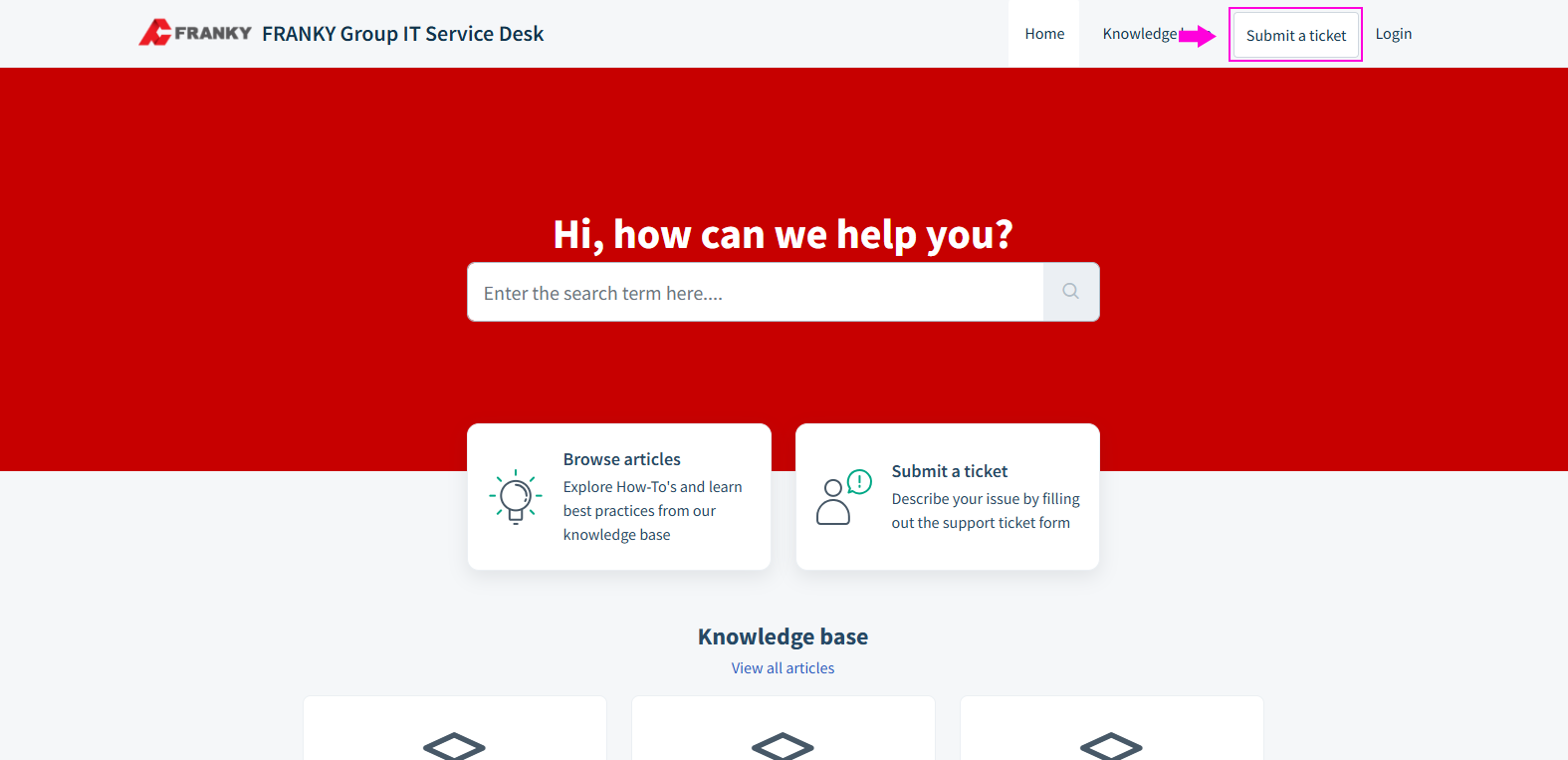
Click "Submit a Ticket", you will be redirected to the ticket creation form.
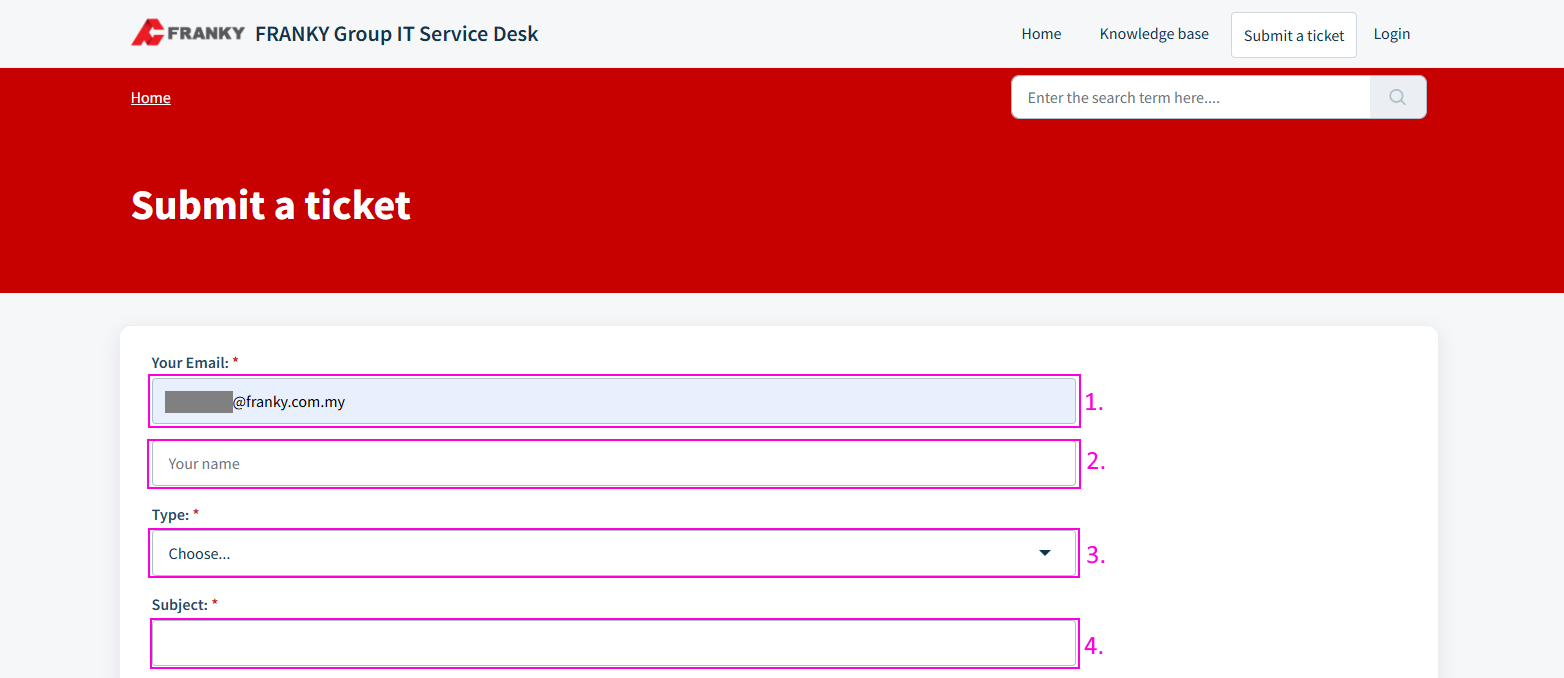
1. Enter email address
2. Optional: Key in your name
3. Select a ticket type
4. Enter a subject for the ticket
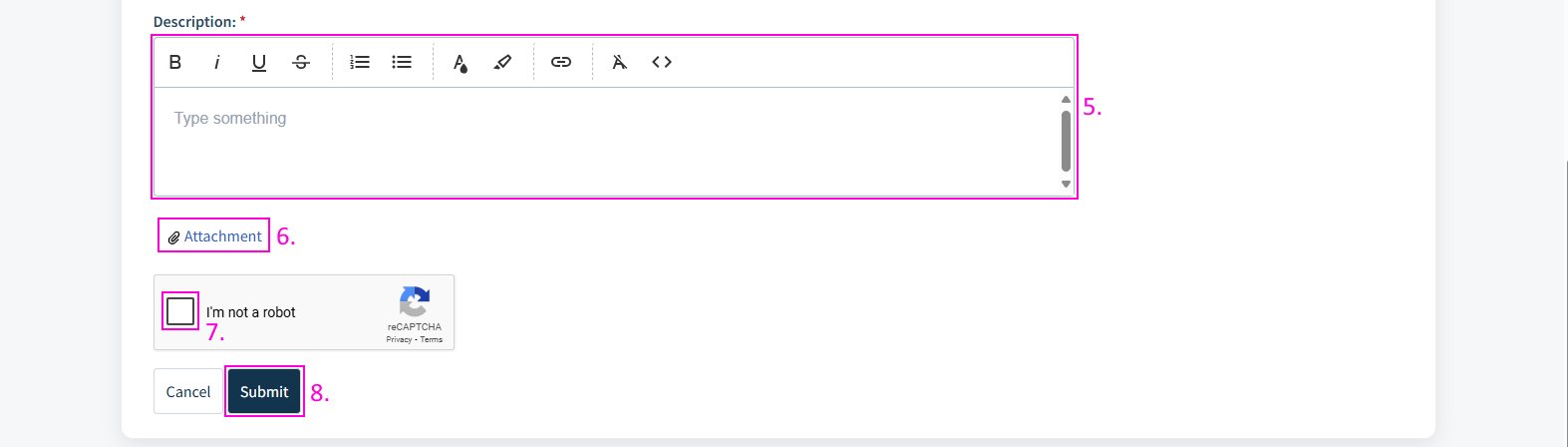
5. Describe the issue in detail
6. Optional: Attach any supporting documents
7. Check "I'm not a robot" and complete the reCAPTCHA
8. Click on Submit
After clicking on Submit button, you will be redirected back to the IT support home page and a success message will be displayed.

Click on the link to watch a tutorial!
Was this article helpful?
That’s Great!
Thank you for your feedback
Sorry! We couldn't be helpful
Thank you for your feedback
Feedback sent
We appreciate your effort and will try to fix the article